AI Video Generator
Describe your video — AI Director drafts the script, voiceover, visuals and music for you to edit.
7-day free trial · Cancel anytime · No design skills needed
0
narration languages
0
AI music moods
0
credits to plan and review
0 %
editable in the full editor
The problem
Sound familiar?
The blank canvas is brutal
Knowing what should go in each scene is often harder than actually making it.
Scripting takes longer than editing
Structure, tone, pacing, a hook that lands — writing a video is a skill of its own.
First drafts stall projects
Getting from idea to something reviewable is where most video projects quietly die.
The Glintia way
Skip the blank canvas. Describe what your video is about, choose a template and a character, and AI Director gets to work: it writes a brief, drafts narration and on-screen text for every slide, fits each slide to your template's layouts, directs your character's actions and expressions slide by slide, generates the voiceover, pulls matching stock photos and video, and can add AI music. You review the plan before anything is built — and the result opens as a normal project you can edit end to end.
Benefits
Why creators love it
From one description to a full draft
A sentence or two becomes a multi-slide animated video — script, on-screen text, character performance, voiceover, stock visuals, and music included.
Your character, directed slide by slide
You pick the character; AI Director picks its actions and expressions for every slide, so it presents, points, and reacts in step with the narration.
Voiceover and music included
Narration is generated with natural AI voices in 16 languages and timed to each slide. Add AI music in one of 11 moods when the video needs it.
Approve the plan before you spend
Planning is free. Read the brief and the slide-by-slide plan first, and only build when it's right.
Fully editable, never locked in
The generated video opens in the normal editor. Swap characters, rewrite text, change scenes — the AI gives you a head start, not a final answer.
Deep dive
A closer look
A creative director, not a slot machine
AI Director writes a brief first, then plans the video slide by slide — narration, on-screen text, and a layout from your chosen template for every beat. You get a coherent story with intent, not a random collage of clips.
Motion matched to the message
Your character doesn't just stand and blink. For each slide, AI Director chooses actions and expressions from the 76-action library to match what's being said — presenting the idea, pointing to the detail, celebrating the result.
A draft you can actually ship
Voiceover, stock photos and video, music, and slide layouts arrive already in place. Review the draft, tweak whatever you want in the full editor, add auto subtitles if you like, and export.
Try the AI video generator yourself
Full HD export, no watermark. Cancel before your trial ends and you won't be charged.
Three steps
How it works
Describe your video
Tell AI Director your topic, audience, and tone in a sentence or two.
Pick a template and a character
You choose the look and the cast; the AI plans every slide to fit them.
Review, build, and edit
Approve the plan, build the draft, then fine-tune anything and export in Full HD.
Compare
The old way vs. the Glintia way
| The old way | With Glintia | |
|---|---|---|
| First draft | Days of scripting and layout | Drafted from one description |
| Story structure | Trial and error | AI plans every slide |
| Voiceover | Record it or hire it | Generated in 16 languages |
| Control | Locked output from video generators | Every scene opens in the editor |
Who uses it
Who uses the AI video generator
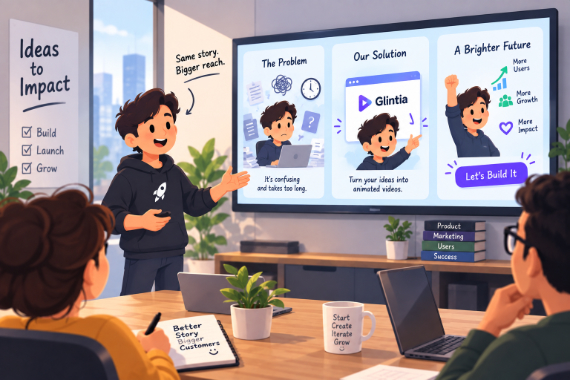
Startups
Show the problem, introduce your product, and give customers a next step.
Explore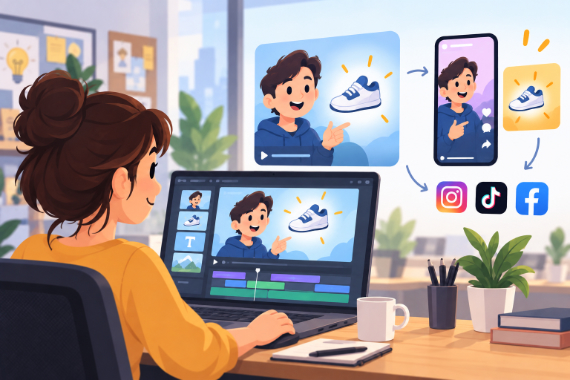
Marketing Teams
Build ads, product explainers, and social clips around one clear benefit.
Explore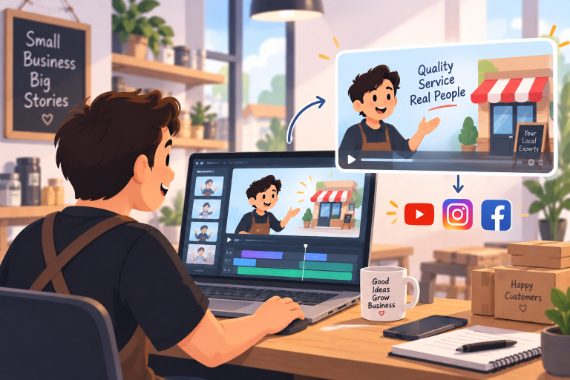
Small Business
Show how your service works and answer questions before customers ask.
Explore
Corporate Training
Break workplace processes into focused video lessons teams can revisit.
ExploreCan I edit the video the AI creates?
What does the AI actually generate?
Does the AI choose the template and character?
What does it cost?
How long does it take?
Keep exploring
More features to explore
Try the AI video generator free for 7 days
Get the full features of the plan you pick — Full HD, no watermark. Cancel before the trial ends and you won't be charged.
7-day free trial on Basic, Pro & Advance · Cancel before it ends and you won't be charged