Online Animation Maker
Build animated explainers and stories with characters, scenes, and motion.
7-day free trial · Cancel anytime · No design skills needed
0 +
ready-made characters
0
prebuilt character actions
0
scene transitions
0 p
MP4 on every plan
The problem
Sound familiar?
Video tools are overwhelming
Professional animation software takes months to learn — and hours to set up a single scene once you have.
Agencies are slow and expensive
A single explainer costs thousands, and every revision restarts the clock by another week.
DIY attempts look DIY
Slideshows and stock-footage montages don't hold attention — and your audience can tell the difference.
The Glintia way
Glintia's animation maker gives you a full studio in your browser. Drag and drop characters, props, and scenes onto the canvas, add motion with prebuilt actions, polish everything with scene transitions, text styles, and cinematic effects — then export a finished video. No software installs, no timeline headaches, no design degree required.
Benefits
Why creators love it
Drag, drop, done
Build scenes visually with an editor designed for non-animators. Group elements, align and distribute them like in your favorite design tools, and animate anything with one click.
A ready-made cast and scenery
50+ character looks with 76 actions and 30 expressions, hundreds of templates, and 269 animated emojis — plus millions of stock photos, videos, and icons from Freepik and Giphy, searchable right inside the editor (premium downloads have monthly limits by plan).
Prebuilt character actions
Make characters walk, talk, point, and celebrate with a library of pre-animated movements — with smooth automatic transitions between actions. No keyframing required.
Cinematic polish built in
33 scene transitions, 15 designer text effects like neon and glitch, 90+ filter presets, 3D tilt and turn effects, shape morphing, and light-driven ground and cast shadows that anchor objects in the scene.
Crisp Full HD export
Download your finished video as a 1080p MP4 on every plan — or 2K on Advance — ready for YouTube, social media, or the classroom. Paid plans export with no watermark.
Deep dive
A closer look
A canvas that thinks like a designer
Group elements, align and distribute whole selections, and snap everything into place. The editor gives you the ease of a design tool with animation-grade power underneath — layers, timing, motion, and a scene-based timeline with lanes for voiceover, music, and sound effects.
Motion without keyframes
Apply entrance effects, prebuilt character actions, and 33 scene transitions with one click — and preview every effect live before you commit. Characters transition smoothly between actions on their own, so scenes flow without a single keyframe.
Finishing touches that sell the scene
Neon and glitch text styles, 90+ filter presets and 24 fine adjustments, 3D tilt-and-turn layout effects, shape morphing, and ground and cast shadows from scene lights that anchor objects in place. It's the layer of polish that separates 'made with a tool' from 'made by a studio'.
Try the animation maker yourself
Full HD export on every plan. Cancel before your trial ends and you won't be charged.
Three steps
How it works
Pick a template or start blank
Choose from hundreds of templates in landscape, portrait, or square — or an empty canvas.
Add characters and assets
Drop in characters, set the scene, and apply prebuilt actions.
Add voice and export
Record or generate a voiceover, then export a Full HD video.
Compare
The old way vs. the Glintia way
| The old way | With Glintia | |
|---|---|---|
| Building a scene | Keyframes, curves, and layer stacks | Drag, drop, one-click actions |
| Polish | Plugins and preset packs | Transitions, text styles & shadows built in |
| Learning curve | Months of tutorials | First video in your first session |
| Software | Installs, licenses, render rigs | 100% in the browser |
Who uses it
Who uses the animation maker

Marketing Teams
Build ads, product explainers, and social clips around one clear benefit.
Explore
Teachers & Educators
Teach one concept at a time with visual lessons learners can revisit.
Explore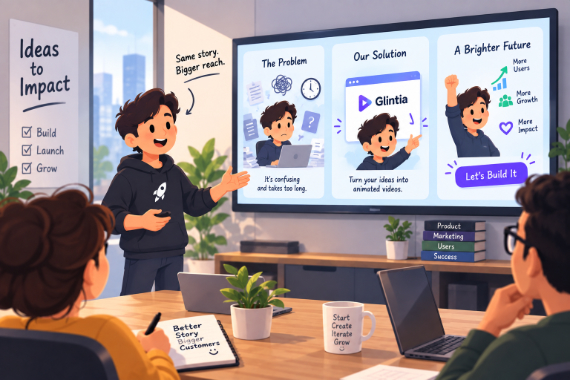
Startups
Show the problem, introduce your product, and give customers a next step.
Explore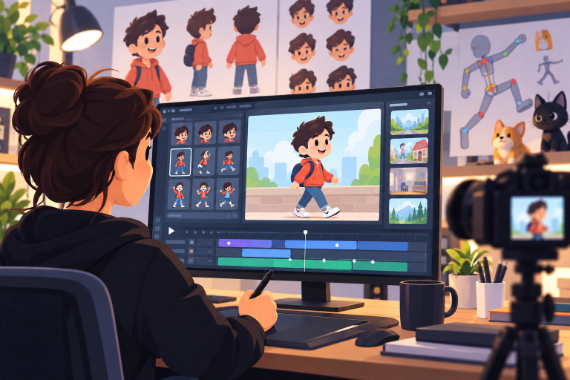
Content Creators
Give your next story an animated cast and develop your own visual style.
ExploreDo I need animation experience to use Glintia?
Can I use the videos commercially?
What can I export?
Can I add transitions and effects?
Keep exploring
More features to explore
AI Video Generator
Describe your video — AI Director drafts the script, voiceover, visuals and music for you to edit.
Learn moreAI Avatars
Lifelike presenters that speak your script — no camera, no studio.
Learn moreCharacter Builder
Design unique animated characters — or bring your own artwork to life.
Learn moreTry the animation maker free for 7 days
Make a real video in Full HD on the plan you pick. Cancel before the trial ends and you won't be charged.
7-day free trial on Basic, Pro & Advance · Cancel before it ends and you won't be charged