Glintia for TikTok
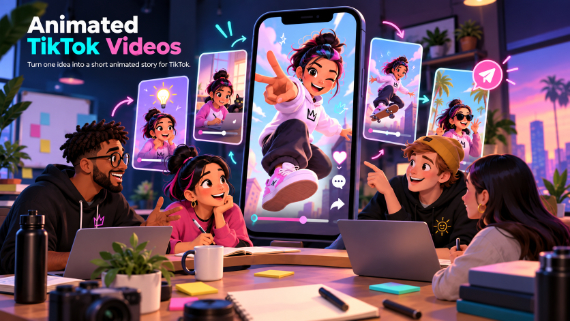
Animated TikTok Videos
Turn one idea into a short animated story for TikTok.
TikTok rewards accounts that post fast and look different. Animation checks both boxes: no filming, no location, no face required — and nothing stops a scroll like a style nobody else on the For You page has. Glintia makes vertical animated content something you can produce daily.
7-day free trial · Cancel anytime · No design skills needed
0 :16
vertical canvas built in
Auto
captions for sound-off viewers
0
character actions to react with
0
faces required
The problem
Sound familiar?
Trends die in 48 hours
If production takes a week, every trend is over before you post.
The feed is a lookalike contest
Face-cam clips with the same captions and the same sounds blur together.
Daily posting burns creators out
Filming, editing, and captioning every day isn't sustainable for a human.
The solution
How Glintia helps
Vertical-first creation
Start from a vertical canvas with templates sized for TikTok — no cropping an afterthought export.
Captions that keep up
Auto-generated subtitles with bold caption styles like TikTok Bold and karaoke word highlighting — your text does the hook.
Characters instead of a camera
Animated characters deliver the take, react to the sound, and never need a good lighting day.
Repurpose everything
AI Auto Clips turns a long video — a stream, tutorial, or podcast — into a batch of short captioned highlight clips.
Deep dive
A closer look
Speed is the strategy
Vertical templates, a saved cast, and AI Director first drafts strip production down to the idea — fast enough to ride a trend while it's still trending.
Motion designed for the first second
Text effects like neon and glitch, snap transitions, and character actions give you the pattern-interrupt hooks that decide whether viewers stay past second one.
Act it out, literally
Record a take of up to 30 seconds on your webcam and your character copies your body's moves — your energy, the character's performance. It's the fastest way to make animation feel alive.
Make your first video today
Full HD export, no watermark. Cancel before your trial ends and you won't be charged.
Workflow
Your workflow, in three steps
Catch the trend
Start a vertical project from a template while the sound is still hot.
Perform it
Character actions or your own webcam mocap take — plus bold auto-captions.
Post today
Export the vertical MP4 and publish while the timing still matters.
Compare
The old way vs. the Glintia way
| The old way | With Glintia | |
|---|---|---|
| Trend speed | A week of production | Post while it's still trending |
| Format | Crop a landscape export | Vertical-first projects |
| Captions | Typing them by hand | Auto-generated and styled |
| Daily posting | Film yourself every day | Characters do the performing |
Toolkit
Features you'll use every day
AI Video Editing
Edit footage by editing its transcript, pull highlight clips, and dub it.
Learn moreTemplates
Start your explainer, lesson, or promo with scenes you can customize.
Learn moreMotion Capture
Act it out on webcam or upload a clip — your character copies your moves.
Learn moreVideo Editor
Trim, split, crop and retime footage right next to your animation.
Learn moreCan I make vertical videos directly?
How fast can I produce a TikTok?
Do I need to show my face?
More
Other teams using Glintia

Teachers & Educators
Teach one concept at a time with visual lessons learners can revisit.
Explore
Animators & Creators
Build character-led stories with customizable scenes and prebuilt actions.
Explore
Marketing Teams
Build ads, product explainers, and social clips around one clear benefit.
Explore
Small Business
Show how your service works and answer questions before customers ask.
ExploreReady to create your first video?
Try any of Basic, Pro or Advance free for 7 days — Full HD, no watermark. Cancel before the trial ends and you won't be charged.
7-day free trial on Basic, Pro & Advance · Cancel before it ends and you won't be charged